

CoverageMap.com Launches All-New App for Android
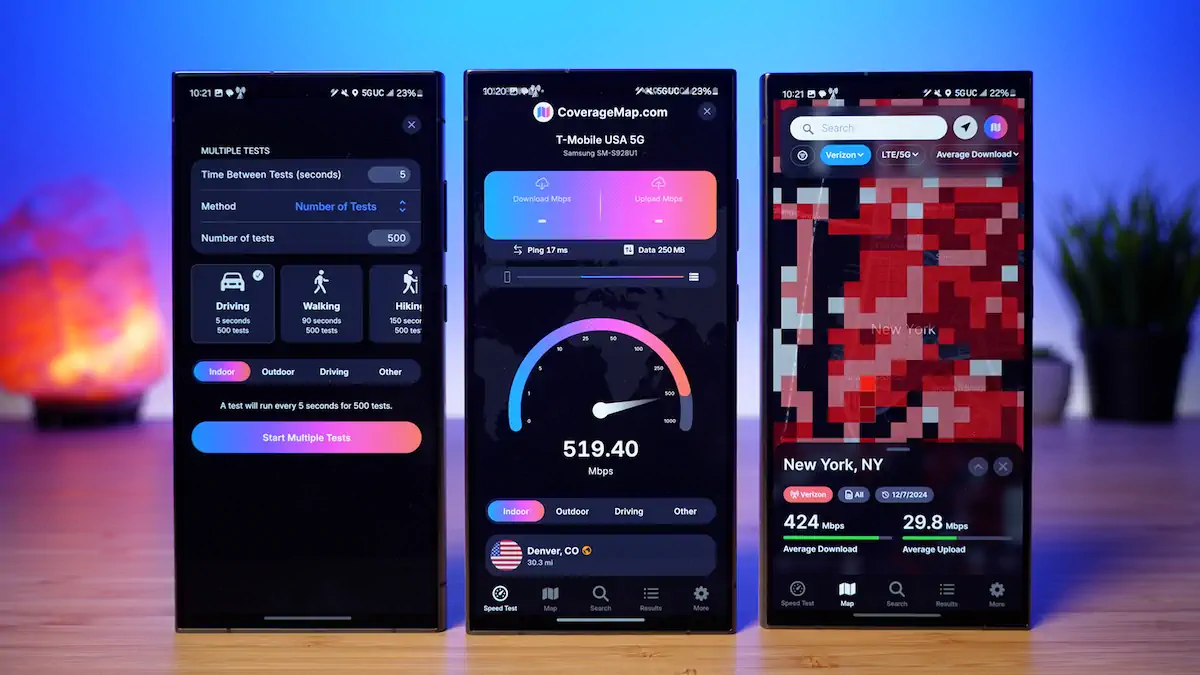
Longmont, CO -- CoverageMap.com, a leading platform in crowdsourced cellular network mapping, is thrilled to announce the launch of the all-new Coverage Map app for Android.
This update is a major milestone. The app was rebuilt from the ground up over the past 10 months to provide the ultimate experience for Android users. Packed with innovative features, this release takes cellular coverage mapping to an entirely new level.
"We are delighted to bring the highly anticipated speed test feature to Android users," said Stetson Doggett, Co-Founder of CoverageMap.com. "This launch also brings additional enhancements to the Android app. Users can enjoy a new recurring tests feature, our all-new map design, and a refined user interface."
Watch the Android app launch video.
New Features in the Updated Coverage Map App
The new Coverage Map app for Android brings an array of capabilities designed to empower users and improve cellular coverage mapping.
1. Speed Testing
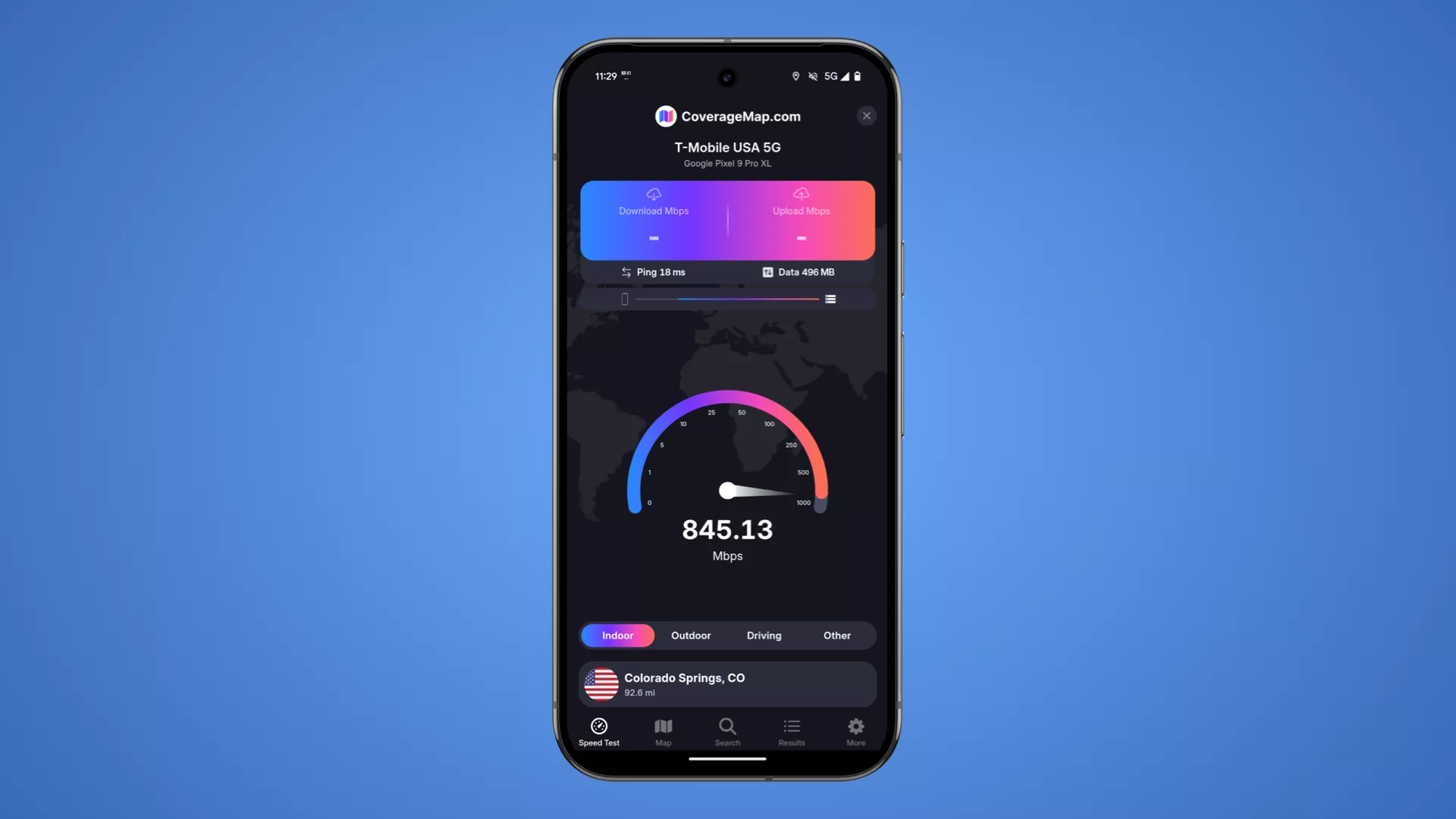
The built-in speed test feature allows Android users to run a test directly within the Coverage Map application.
Each test measures download speed, upload speed, and latency of a cellular, Wi-Fi, or wired connection. A wide array of speed test servers are available across the U.S., each rated for 10+ Gbps.
Users can tag tests as indoor, outdoor, driving, or other to improve data quality, and personalize data limits, default tags, default servers, and themes.
2. Run Recurring Tests
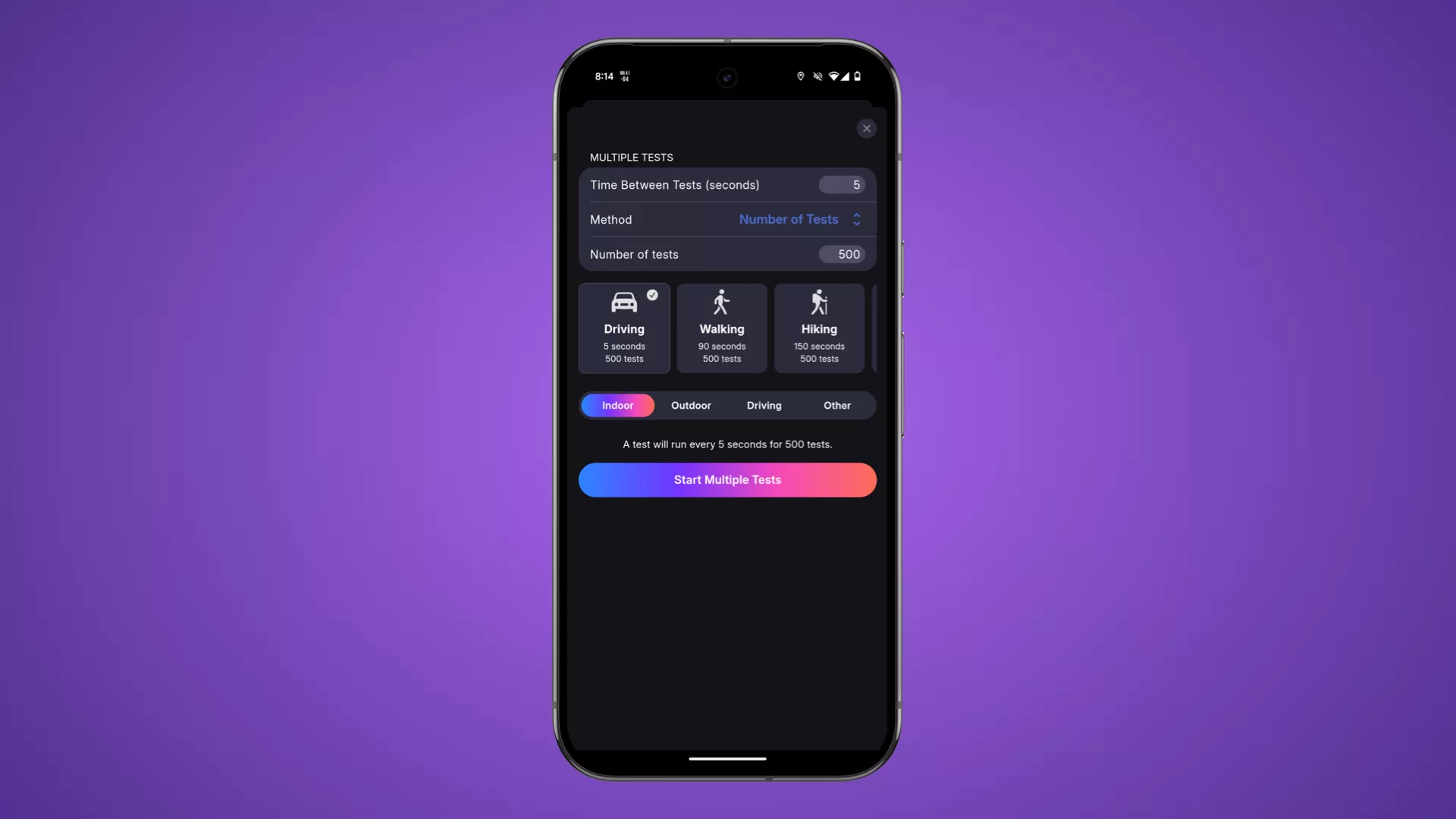
Users can customize recurring tests to run by a set number, up to 500, or by a set time duration, up to 3 hours.
Useful presets, such as driving, walking, hiking, 30 minutes, and 60 minutes, make it easy to configure recurring tests with a tap.
3. No Coverage Mapping
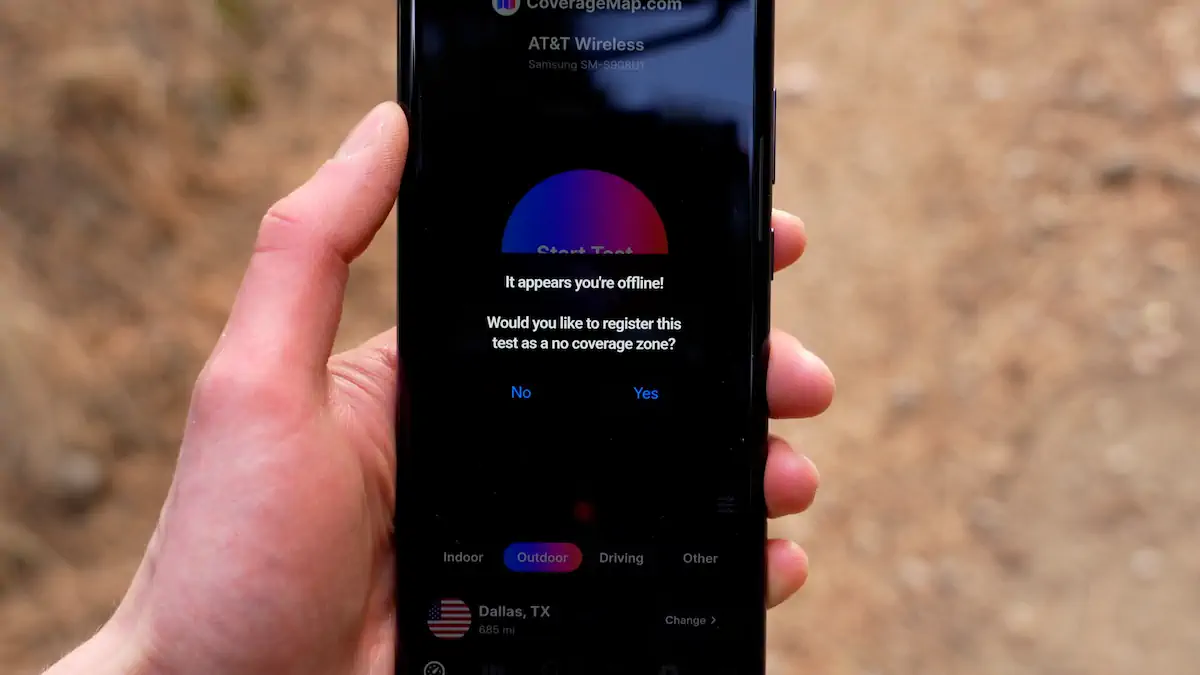
When a user tries to run a test in an area with no service, the app prompts the user to log the test as a no coverage zone.
Once the phone returns to an area with active service, it uploads stored data points and displays them on the map as locations with no cell service.
No coverage mapping helps document real-world gaps in national parks, campsites, and rural areas.
4. Crowdsourced Cellular Coverage Map
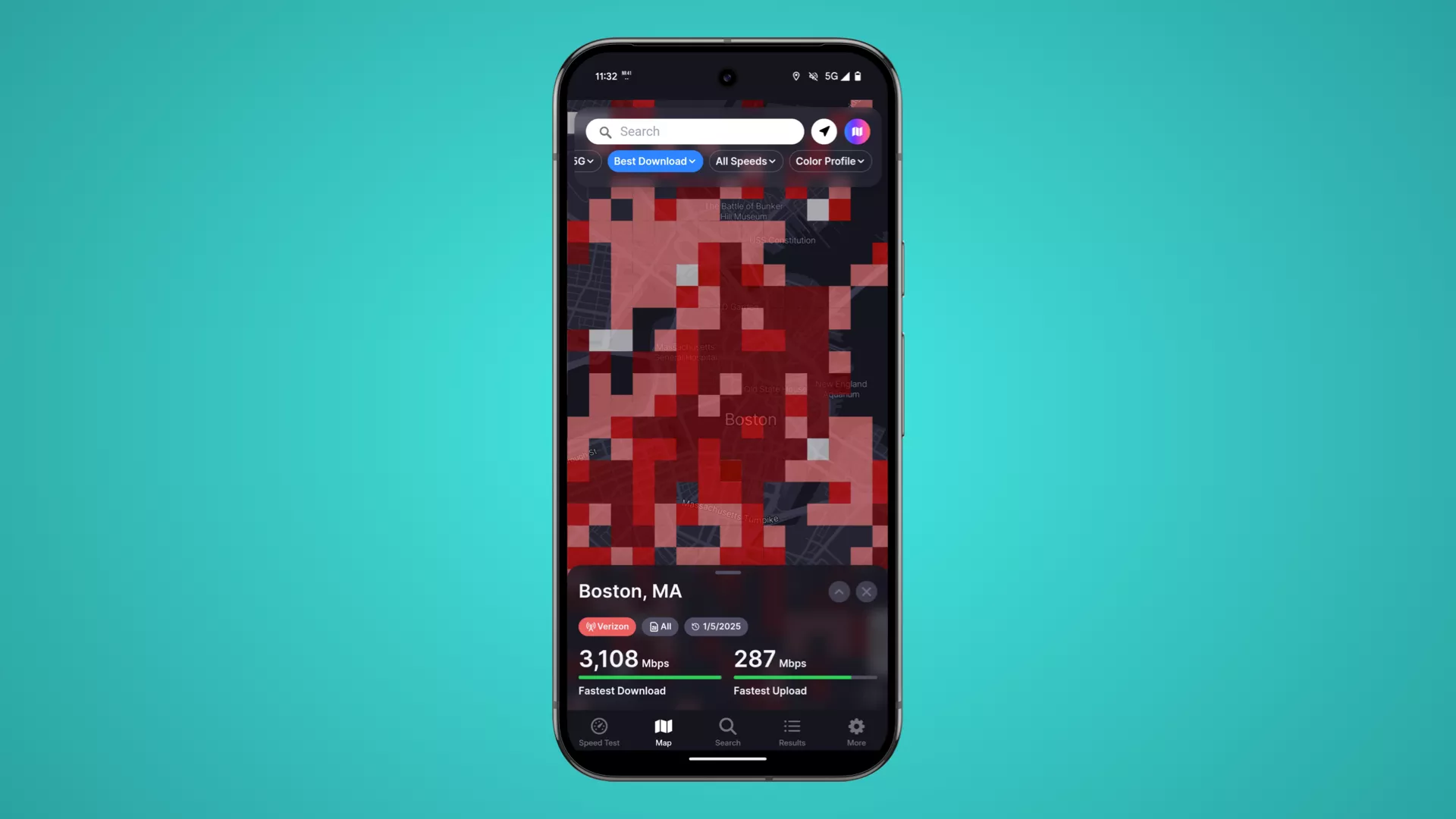
The crowdsourced map showcases real-world performance data collected by users across the U.S.
Powerful filters let users customize the map by carrier, technology, speed thresholds, and more. The Best Carrier view identifies the top-performing carrier in any location.
5. Enhanced Speed Test Results Management
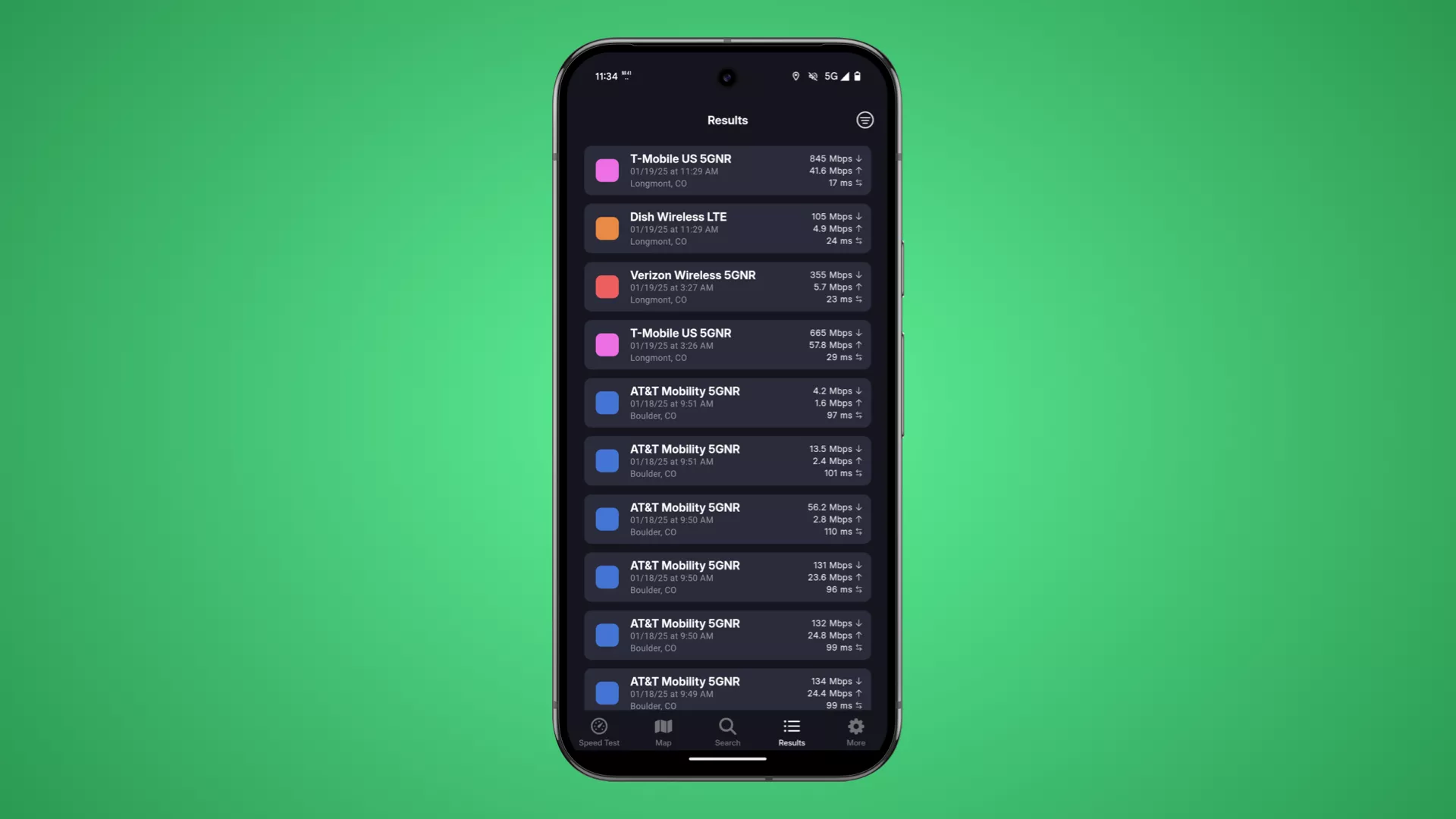
The app provides advanced tools for sorting, filtering, and viewing test results, including a universal search bar and column sorting on desktop.
The Android app supports importing speed test data from other popular apps, consolidating results into a single platform.
Empowering the Community to Improve Coverage Maps
Every test run contributes to one of the fastest-growing crowdsourced maps of cellular coverage, enabling users to paint a picture of what true coverage looks like across the U.S.
Availability
The all-new Coverage Map app for Android is available today as a free download. Visit CoverageMap.com or the Google Play Store to download the app.
About CoverageMap.com
CoverageMap.com is dedicated to creating accurate, crowdsourced maps of cellular networks. By empowering users to contribute real-world data, the platform paints a picture of what true cellular coverage looks like across the U.S.
Media Contact
Stetson Doggett
Co-Founder